This guide is for people who wants to personalize Window borders in Windows 8 and Windows 8.1. You can change border settings from Windows Registry Editor. Here is how:
- Press "Windows + R" to launch run dialog box > Type regedit and Enter. > Go to the following key:
HKEY_CURRENT_USER\Control Panel\Desktop\WindowMetrics
- Find PaddedBorderWidth key from the list. Default is -60. If you higher this number (eg. -1500) window borders will be thicker, and if you lower it (recommended is -20) borders will look thinner.
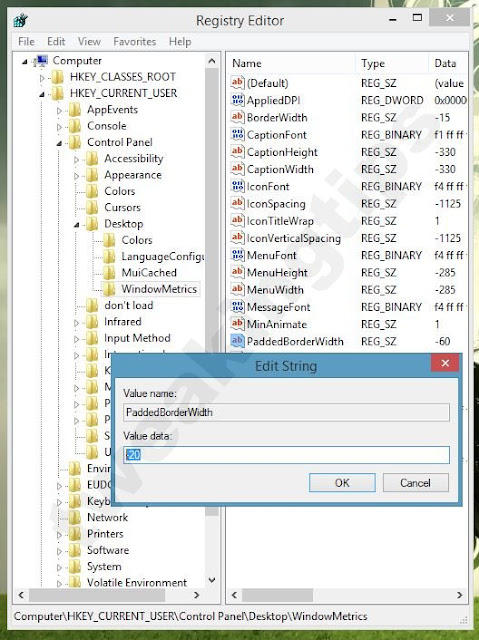 |
| Default value for PaddedBorderWidth is -60. I recommend -20 if you want thinner borders. You can customize this number for your needs. |
- Restart your computer or Sign off from Windows to take effect.

